


Understanding POS Systems and Cash Registers for South African Businesses
- May 25
- 2 min read
Updated: Jul 6
At TillSense, we work closely with local shops every day. The biggest challenge we see isn't just about price; it's about understanding which system truly fits your business needs.
This guide aims to help you clearly understand:
The difference between POS systems and cash registers
When to choose each option
Which system is best for your business type
What is a POS System?
A POS (Point of Sale) system is a complete business management solution, not just a till.
Key Features of POS Systems
A POS system includes:
Stock tracking
Sales reports
Barcode scanning
Staff management
Integration with card machines
POS systems are ideal for businesses that want control, growth, and visibility.
Types of POS Systems
Touchscreen POS (All-in-One)

Fast and modern
No keyboard needed
Best for busy shops
Best for:
Supermarkets
Restaurants
Taverns/Bars
Retail stores
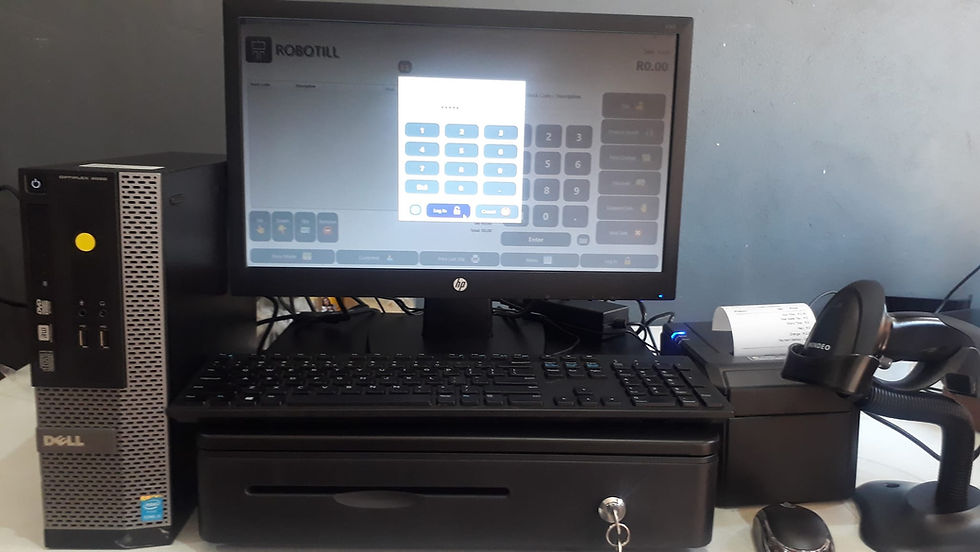
Computer POS (Non-Touchscreen)

Uses keyboard & mouse
Same power as a touchscreen
Lower cost
Best for:
Hardware stores
Small retailers
Budget setups
What is a Cash Register?

A cash register is a simple, standalone machine used to record sales. It does not function like a computer.
Key Features of Cash Registers
Cash registers are:
Easy to use
Reliable
Affordable
They are ideal for businesses that need simple daily sales without complexity.
Key Differences in Table
Feature → | POS System | Cash Register |
Stock Control | Advanced | Basic |
Reports | Detailed | Limited |
Speed | Fast | Fast |
Ease of Use | Medium to High | Very Easy |
Scalability | High | Low |
Price | Medium to High | Low to Medium |
When to Choose a POS System
Choose a POS system if you:
Want stock control
Sell many products
Need reports and tracking
Have multiple staff
Plan to grow your business
A POS system gives you full control and long-term scalability.
When to Choose a Cash Register
Choose a cash register if you:
Only need basic sales
Want a simple setup
Have a small product range
Don’t need detailed reports
Cash registers are perfect for simple, fast, low-cost operations.
TillSense Recommendation
Instead of choosing based on price, consider your business stage:
Small shop → Cash Register
Growing shop → POS System
Busy retail → Touchscreen POS
Mobile business → Tablet POS
Conclusion
Understanding the difference between a POS system and a cash register is crucial for your business. Each option has its strengths and weaknesses. By assessing your needs, you can make an informed decision that will support your growth. If you have any questions or need help, feel free to reach out. We’re here to support you with reliable and affordable Cash Register and POS solutions tailored for your business needs.

Comments